Tasks app now faster, clearer and simpler after major upgrade

Tasks app now faster, clearer and simpler after major upgrade
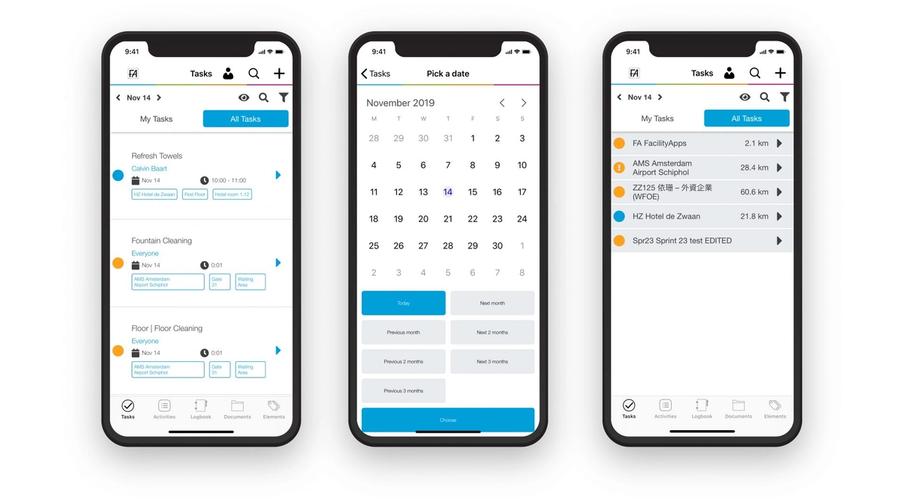
In October FacilityApps introduced a new version of the app. Our team has worked hard over the past few weeks on better features. The new app release contains a merge of the app screens 'OVERVIEW' and 'TASKS'. A new top screen has replaced these with the best of both and many improvements.
This update provides a more logical interface that is easier and faster to learn for new users. In addition, the update provides a better overview of tasks across different roles, so each user can see exactly what their tasks are.
We achieve this through our three new smart views.
Objects/projects view
This first view shows all objects listed below each other, each object can be expanded and below it all tasks are set by date. This view serves as an overview for supervisors who want to see all objects at a glance.
Room view
Here you see all tasks on different floors with the rooms below that can be expanded. Tasks without a floor and room are also visible here. This view is more intended for users at a location with floors and rooms.
Time view
Here you see all tasks selected by date by default, and when these tasks are completed they drop off this list. This creates a clear overview of tasks that still need to be done.
Handle tasks faster
In all three views, tasks can now be checked off or have their status changed more easily and quickly than ever. We use "swiping" left and right with one movement. This allows us to quickly set different statuses with separate colours. This can be done per task, or by pressing slightly longer with multiselect to handle multiple tasks in one movement.
Time registration and subtasks
Time registration per task is a much-requested innovation. With this we can add start and end time for a task, as well as work type and employee. The registered time and task can be viewed again in the online environment.
There is also the option to set a mandatory subtask for a task, such as taking a photo or signing. When this subtask is not completed, a user cannot mark the task as completed.
Time filters
The date picker has been greatly improved; there is now the option to choose an overview for a specific time period. This way you can see exactly what needs to be done in a certain period, or what has been done in a period.
On our manual website, which you can find in the top right of your profile, there is an extensive explanation of this new tasks module. Our team continues to work hard on new innovations with FacilityApps!
Related posts
Cleaning Workx, powered by FacilityApps, launches new 'Periodic Cleaning' training modules
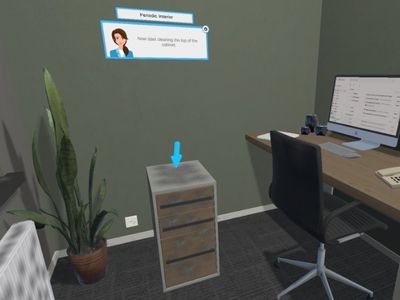
Cleaning Workx introduces the Periodic Interior and Periodic Sanitary modules — the most requested addition among existing customers. Available immediately in 18 languages as part of the core platform.
From invisible to intelligent: the cleaning industry must shape its own AI future
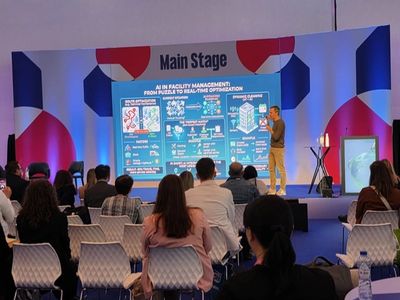
A manifesto for the cleaning industry: will we be passive recipients of AI disruption, or active architects of our own transformation? CEO Dirk Tuip wrote a manifesto for the next decade.
Digitise your workflows with the new multi-step forms
New in FacilityApps: multi-step forms. One form goes through multiple roles and stages, while all information is stored centrally. No loose papers, no lost emails - just a fast, transparent workflow.