
Cleaning operations software for planning, quality and delivery


Cleaning operations software connects the work your team schedules with the work it completes, checks and reports. FacilityApps brings planning, work orders, time recording, quality checks and reporting into one operational workflow. That gives cleaning companies and teams serving municipal buildings a way to follow an assignment from the schedule to a documented result.
Five functions, one operational workflow
Use five functions to define what your cleaning operation needs: plan the work, assign tasks, record delivery, check quality and report the outcome. Start with each building’s cleaning requirements. Then connect the schedule to the work order, so the person on site sees what to do and where. Record completed tasks and hours against that assignment; use inspections and reports to follow up.
For a municipality, that scope might cover routine cleaning across a town hall, library and community centre, plus a separate work order when a room needs attention after an event. Keep the building, task, assigned team and inspection result together. This is operational cleaning management, not just a roster or a standalone janitorial software checklist.
Plan tasks and record what happened
Set up recurring work by site, then assign one-off jobs through a work order. When an absence or an extra task changes the day’s plan, update the assignment so the cleaner sees the current instructions in the mobile app. FacilityApps supports recurring schedules, one-off work orders and updates to staff in the field. For example, schedule the library’s routine cleaning, then assign a separate work order for a room after an event.
Ask cleaners to register their time against the work they perform. A completed work order can hold tasks, hours and photos, while an inspection records whether the agreed cleaning standard was met. For that room, record the completed task and hours, check the result during an inspection, and include the outcome in the delivery report. Check planned against worked hours and follow up on quality findings before you report delivery to the client.
Connect operations to payroll and invoicing
Choose integration points based on which records have been checked and approved. Approved worked hours are the handoff to payroll; completed work orders, including recorded additional work, provide the handoff to invoicing. Confirm how your existing payroll and financial systems receive that data before deciding what should pass through automatically. FacilityApps describes payroll links and work orders connected to invoicing; the exact setup depends on the systems involved.
For teams spread across buildings, mobile access keeps assignments and site records available where the work happens. FacilityApps specialises in software for cleaning companies, with connected modules for planning, work orders, quality management and time recording. Choose the functions that match your operation rather than asking staff to maintain the same assignment in separate tools.
Cleaning operations software is most useful when a schedule, completed task, worked hour and quality check refer to the same job. See how FacilityApps could connect those steps in your operation and request a demo.
Frequently asked questions
What is cleaning operations software and what does it do?
Cleaning operations software helps teams plan cleaning work, assign tasks, record time and completed jobs, check quality and report what was delivered. The records can also support handoffs to payroll and invoicing, depending on the software and connected systems.
Related posts
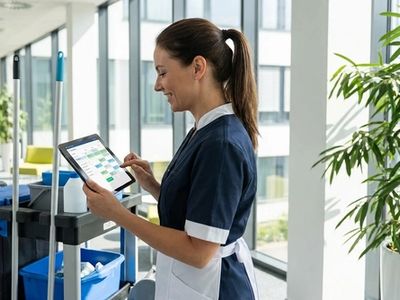
Best software for cleaning companies: a founder’s view
The best software for cleaning companies is the system that helps your people make reliable decisions across sites, not the one with the longest feature list.
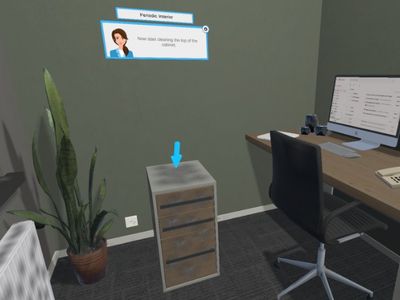
Cleaning Workx, powered by FacilityApps, launches new 'Periodic Cleaning' training modules
Cleaning Workx introduces the Periodic Interior and Periodic Sanitary modules — the most requested addition among existing customers. Available immediately in 18 languages as part of the core platform.
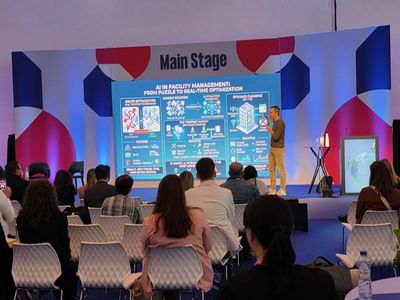
From invisible to intelligent: the cleaning industry must shape its own AI future
A manifesto for the cleaning industry: will we be passive recipients of AI disruption, or active architects of our own transformation? CEO Dirk Tuip wrote a manifesto for the next decade.