
Cleaning management software


Cleaning management software helps contractors coordinate work across sites, from scheduling and time tracking to quality checks and billing. The right choice depends on whether you need to manage the work itself, the commercial administration around it, or both. FacilityApps, a software platform for cleaning companies, connects planning, recorded hours, work orders and quality control. Use the criteria below to compare suppliers against your own workflow, not just their feature lists.
Must-have capabilities for cleaning operations
Start with a real shift at one of your sites. Can a planner assign a cleaner, send the schedule to their phone, record attendance and confirm that the work was completed? If any step requires copying information between systems, ask the supplier to show how that gap is handled.
For operational teams, check scheduling, time tracking (recording when staff start and finish work), work orders and quality inspections together. FacilityApps links a scheduled shift to time recording and work orders; its platform also includes quality control. Treat training records as a further requirement if supervisors need to check who is qualified for a task.
What is the difference between operational and commercial software?
Operational software manages service delivery; commercial software manages the agreement and money behind it. The first helps answer who is working, where, when and to what standard. The second covers quotations, contracts, approvals and invoices. Some cleaning management software spans both, but a long feature list does not prove the data flows between them.
Test the handover. Add an extra job to a site, then ask the supplier to show how the completed work reaches approval and billing. Confirm whether staff must enter the same job or hours again. FacilityApps offers operational modules alongside calculation and approval-and-billing functions; ask for a demonstration of the combination you would actually use.
Compare software with an evaluation matrix
Score each supplier against the same scenario rather than accepting a general demonstration. Mark every criterion as shown in your workflow, available with another module or integration, or not shown. This keeps a promised capability separate from one you have seen working.
- Scheduling: reassign a cleaner after an absence and show the updated shift in the staff app.
- Time tracking: compare planned hours with recorded hours and show the approval step.
- Quality control: record an inspection and show who receives and resolves a finding.
- Billing: turn an approved extra job into billable information without re-entering it.
- Integrations and support: show the payroll export, then explain who helps when data does not match.
Prioritise the rows that create work for your team today. A contractor with frequent cover changes may weigh scheduling more heavily; one handling many extra jobs may need a stronger approval-to-invoice process.
Questions to ask software suppliers
Ask each supplier to use your example site, contract and staffing pattern. “Can you show a changed shift from the planner’s screen through to the cleaner’s app?” is more useful than “Do you offer planning?” Follow with: “Who approves corrected hours?”, “How does an extra job reach an invoice?”, and “What happens if the payroll export is rejected?”
Also ask which functions require separate modules, what staff can do without a connection, and how new users get help. Request a demonstration of a failed or corrected workflow, not only a successful one. FacilityApps, for example, describes offline clock-ins and payroll exports; a buyer should still test those steps against their own requirements.
Benefits to check in everyday work
A useful system reduces repeated entry between the site and the office. Cleaning scheduling software should let a planner change an assignment and make that change visible to the cleaner. Approved hours should then be available for payroll, while completed extra work should be traceable for invoice calculation. Check each handover rather than assuming that shared branding means shared data.
Built for cleaning workflows
FacilityApps specialises in software for cleaning companies, with modules for planning, time registration, work orders and quality management. That scope gives buyers a concrete workflow to examine: schedule a site visit, record the hours, review the work and check what reaches the office. Ask to see the modules relevant to your contracts rather than a tour of every available function.
Check integrations and support before deciding
Confirm which systems exchange data, whether the connection is automatic or requires an export, and who resolves errors. In a demonstration, compare a corrected timesheet with the record received by payroll. If your teams work at sites with unreliable reception, test how entries appear once a device reconnects. Ask the supplier to explain setup and day-to-day support for both office staff and cleaners.
Choose cleaning management software by testing the route from planned work to approved hours, quality records and billing. Use the matrix to compare what suppliers can demonstrate, then request a FacilityApps demonstration using one of your own cleaning workflows.
Frequently asked questions
Which cleaning management software fits a mid-sized cleaning contractor?
Choose software that handles your busiest workflow across sites without repeated data entry. Test a changed shift, recorded and approved hours, a quality check, and an extra job awaiting billing. Compare what each supplier demonstrates, which modules or integrations you need, and how staff receive support.
Related posts

FacilityApps and Birungi Studio: room for talent, collaboration in VR
FacilityApps made an office at H20 in Purmerend available to Birungi Studio. The partnership grew into a contribution to our VR training, with an introduction module on microfibre.
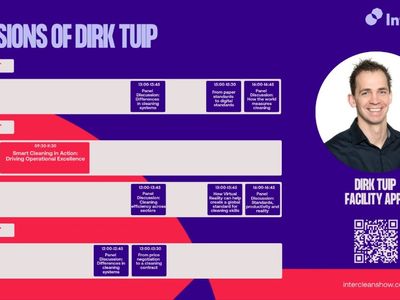
Heading to Interclean China: how AI and standards can help the cleaning industry move forward worldwide
How do we make sure knowledge about good cleaning is not only available, but actually applied? With that question I leave for Shanghai at the end of October for Interclean China.
How to choose cleaning software for your operation
A decision framework for cleaning operators evaluating cleaning software: scope, integrations, evidence, TCO and rollout risk.